


Applicable Scope
This guide applies to Gate Web
Before you start: Ensure you have sufficient USDT balance in your options trading account
Estimated time: 5 m
Objective
This guide will walk you through how to create and configure a recurring sell strategy for options trading on Gate Web.
Steps
Step 1: Access the Recurring Sell Strategy Entry
Method 1: Via Options Chain
- Navigate to the options trading page and locate the options chain (T-shaped quotation table).
- Move your cursor over any strike price row within the valid range.
- The recurring sell strategy button will appear:
- For Call options: The button appears on the right side of the row
- For Put options: The button appears on the left side of the row
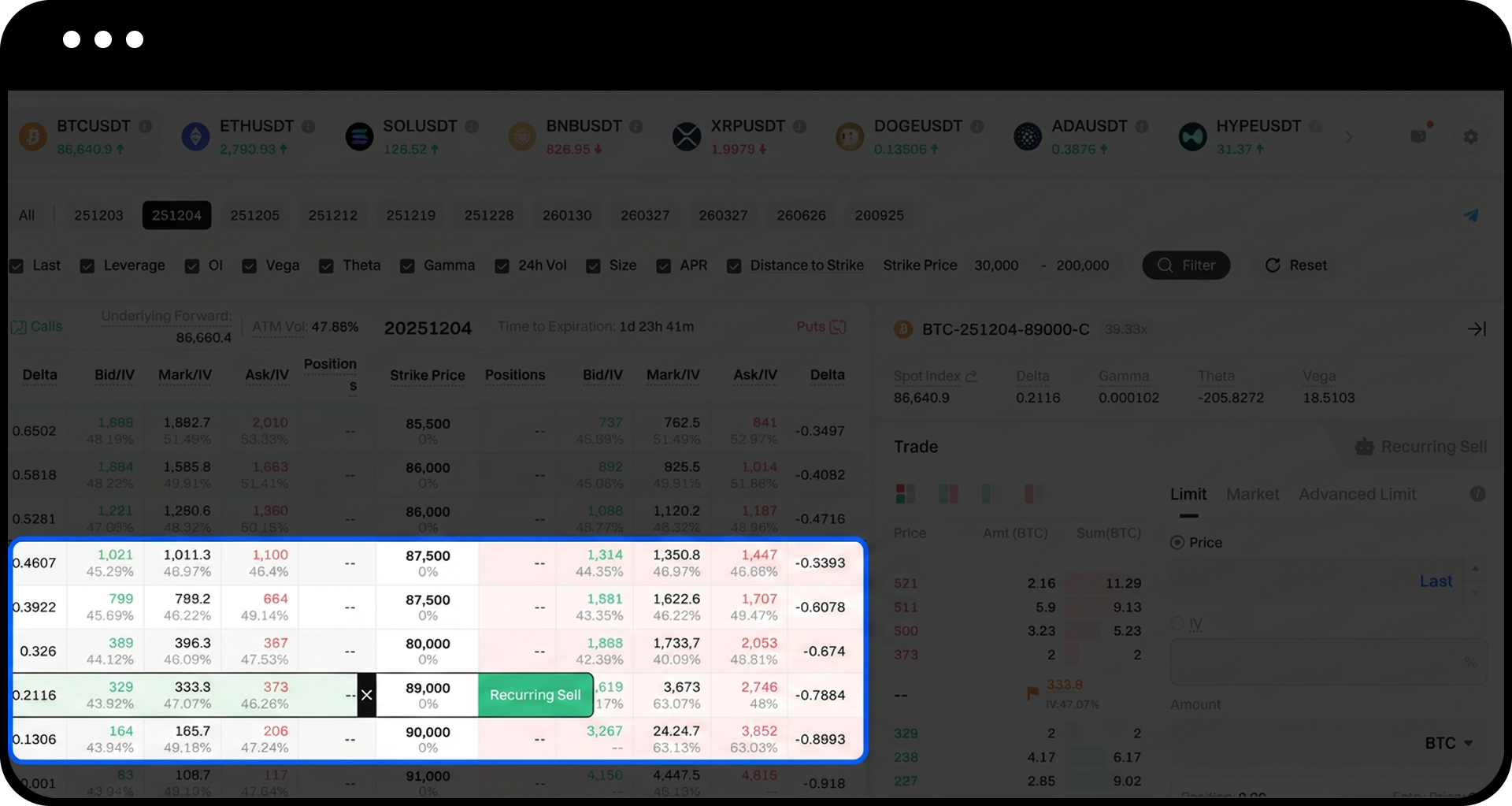
The strategy entry appears only within specific parameters:
- Expiry Dates: T+1 (next-day options), T+2 (two-day options), T+3 (three-day options)
- Delta Range:
- Call: 0.40–0.01
- Put: 0.01–0.40
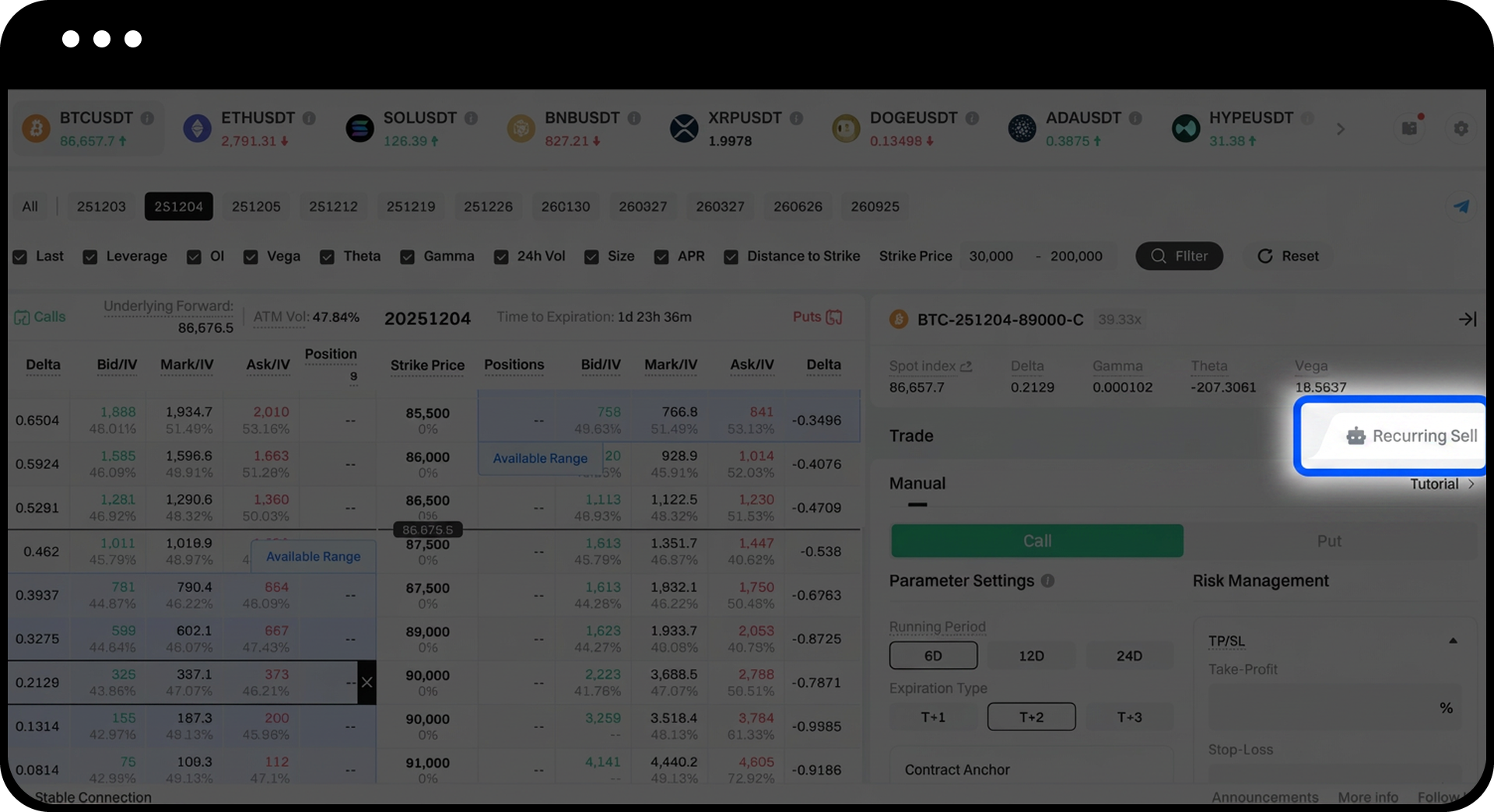
Method 2: Via Order Panel
Click the "Recurring Sell" tab at the top-right corner of the order panel to enter the strategy creation page.
Step 2: Select Option Type
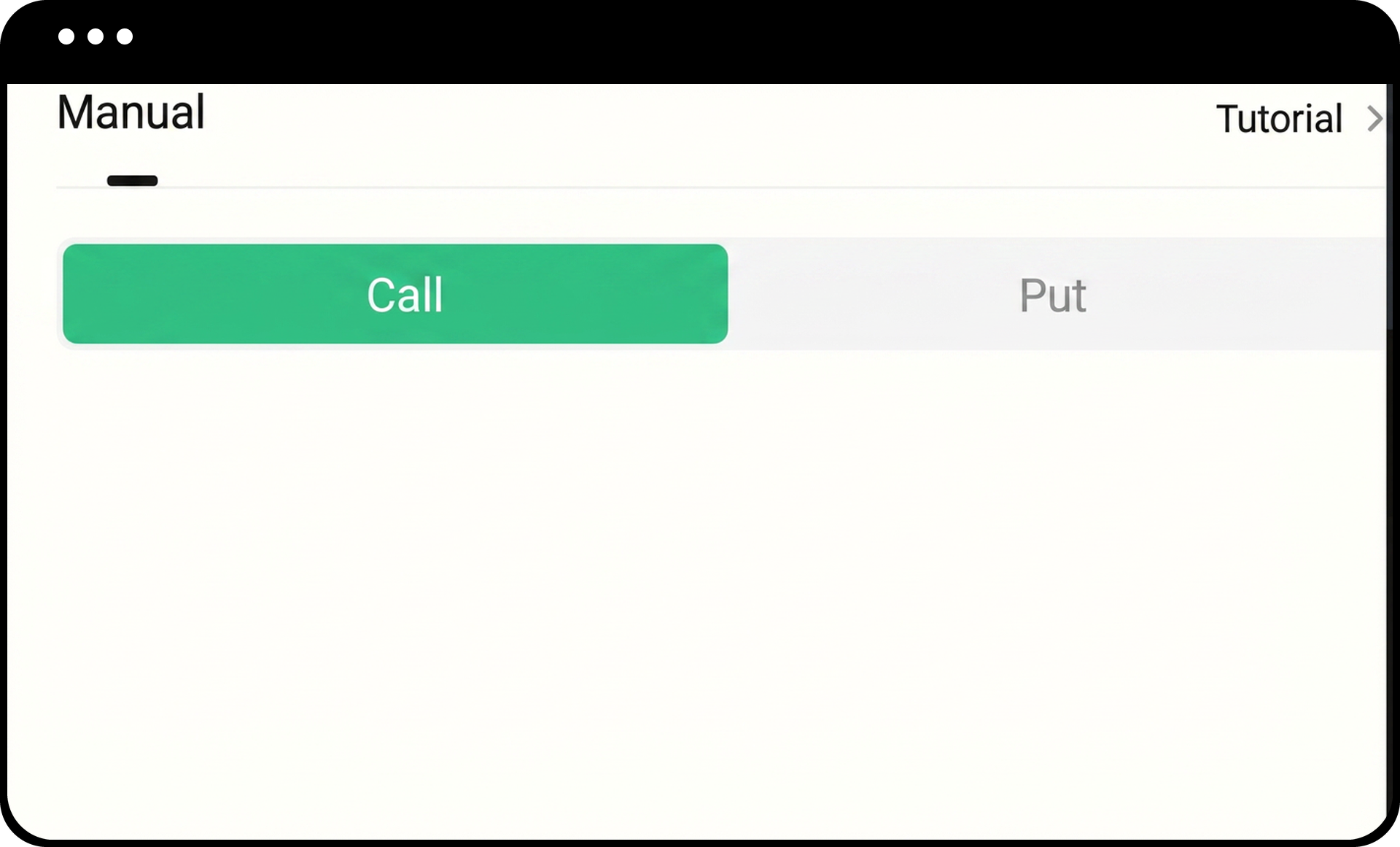
- Choose between Call options or Put options using the toggle button.
- The system will automatically select a corresponding contract within the valid range.
Step 3: Configure Running Period
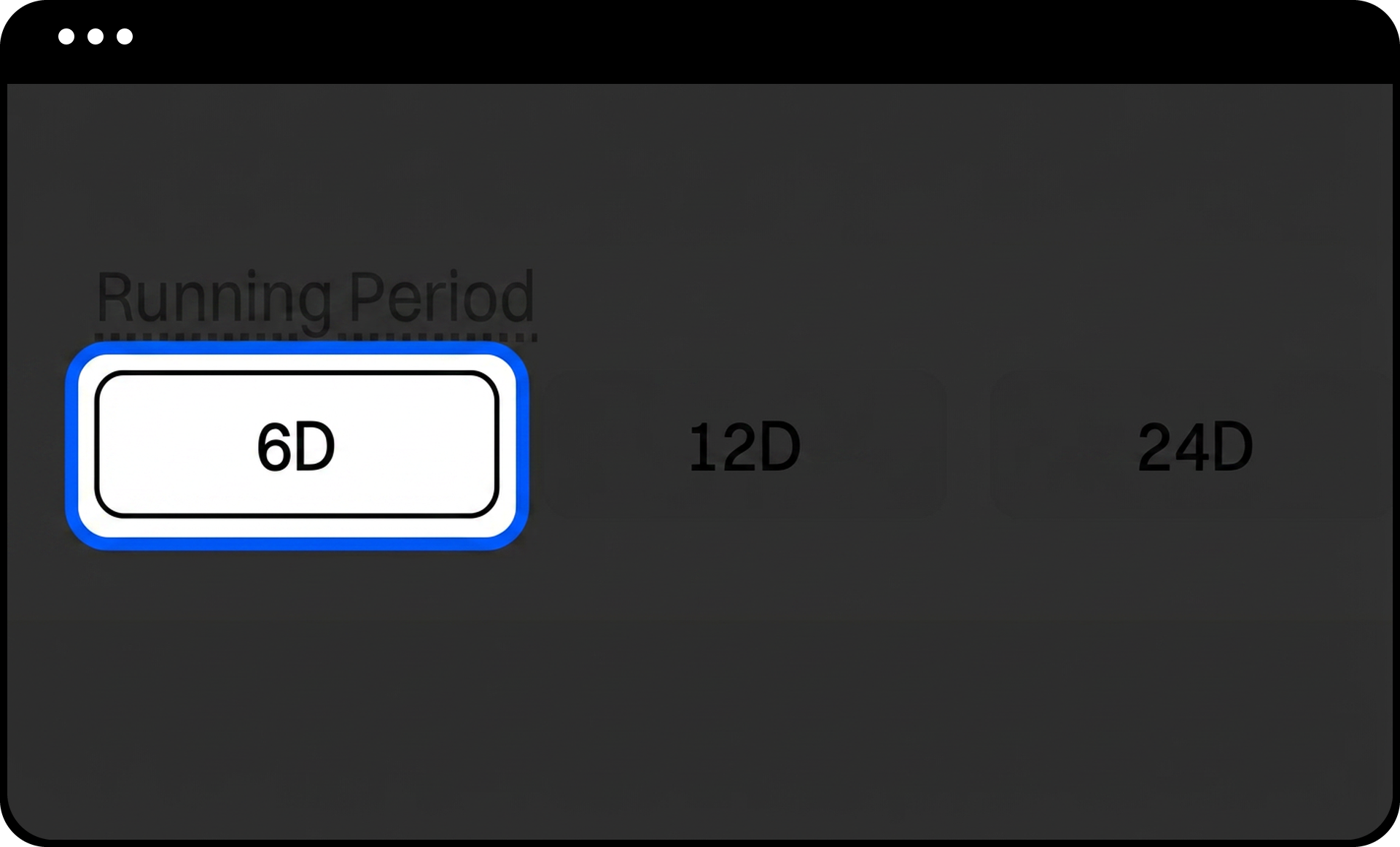
Select the total duration for your strategy from the available options:
- 6 days
- 12 days
- 24 days
The system will automatically repeat the selling process during this period. Once the period ends, the strategy will stop and no new positions will be opened.
Step 4: Set Expiration Date Type
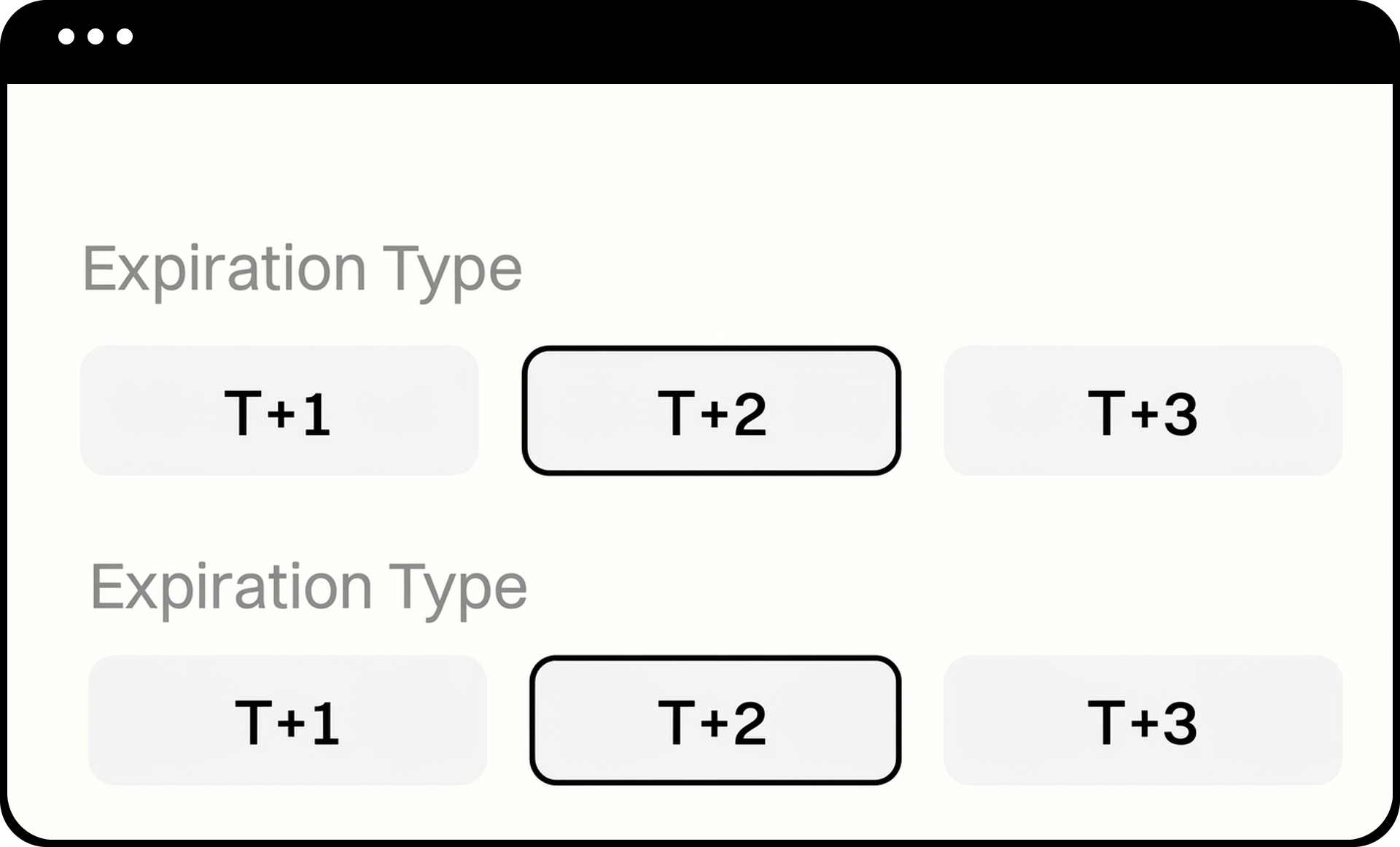
Choose the expiration method for each cycle:
- T+1: First expiration in the options chain (next-day expiration)
- T+2: Second expiration (two-day expiration)
- T+3: Third expiration (three-day expiration)
The system will automatically sell the contract corresponding to your selected expiration date type at the beginning of each cycle.
Step 5: Configure Contract Anchor
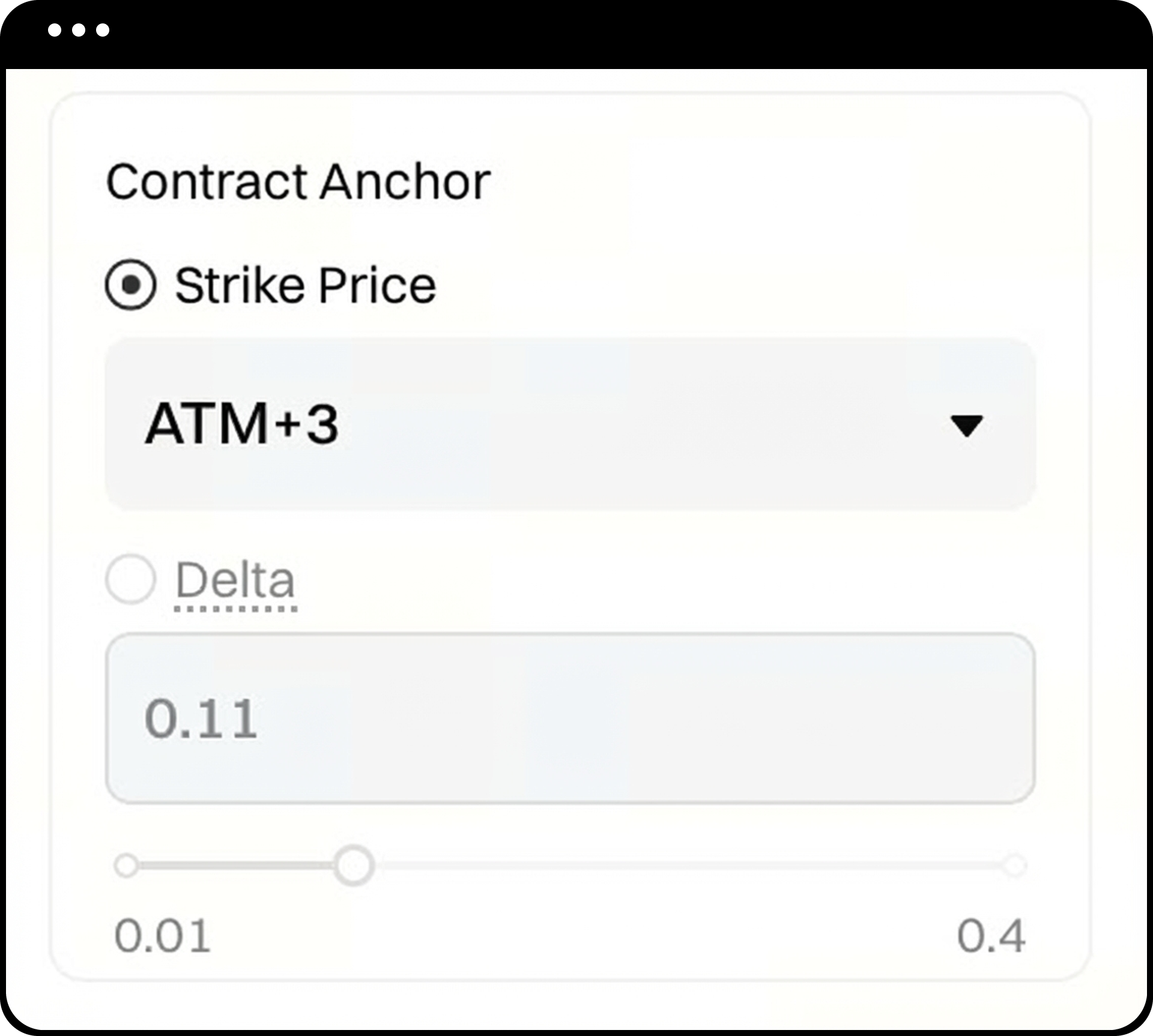
Select how the system determines which contract to sell in each cycle:
Option 1: Strike Selection
- Select a Strike relative to the current ATM price (e.g., ATM+3, ATM+5)
- The system generates a list of selectable Strike levels based on expiration date and Delta values
- Suitable for users who prefer to control risk using specific OTM steps
Option 2: Delta Selection
- Input range:
- Call: 0.01–0.40
- Put: 0.01–0.40
- Use the slider (precision to 0.01) or manual input
- Smaller Delta = further OTM = generally lower risk
- Larger Delta = closer to ATM = higher potential return and risk
Quick Selection via Hot Zone:
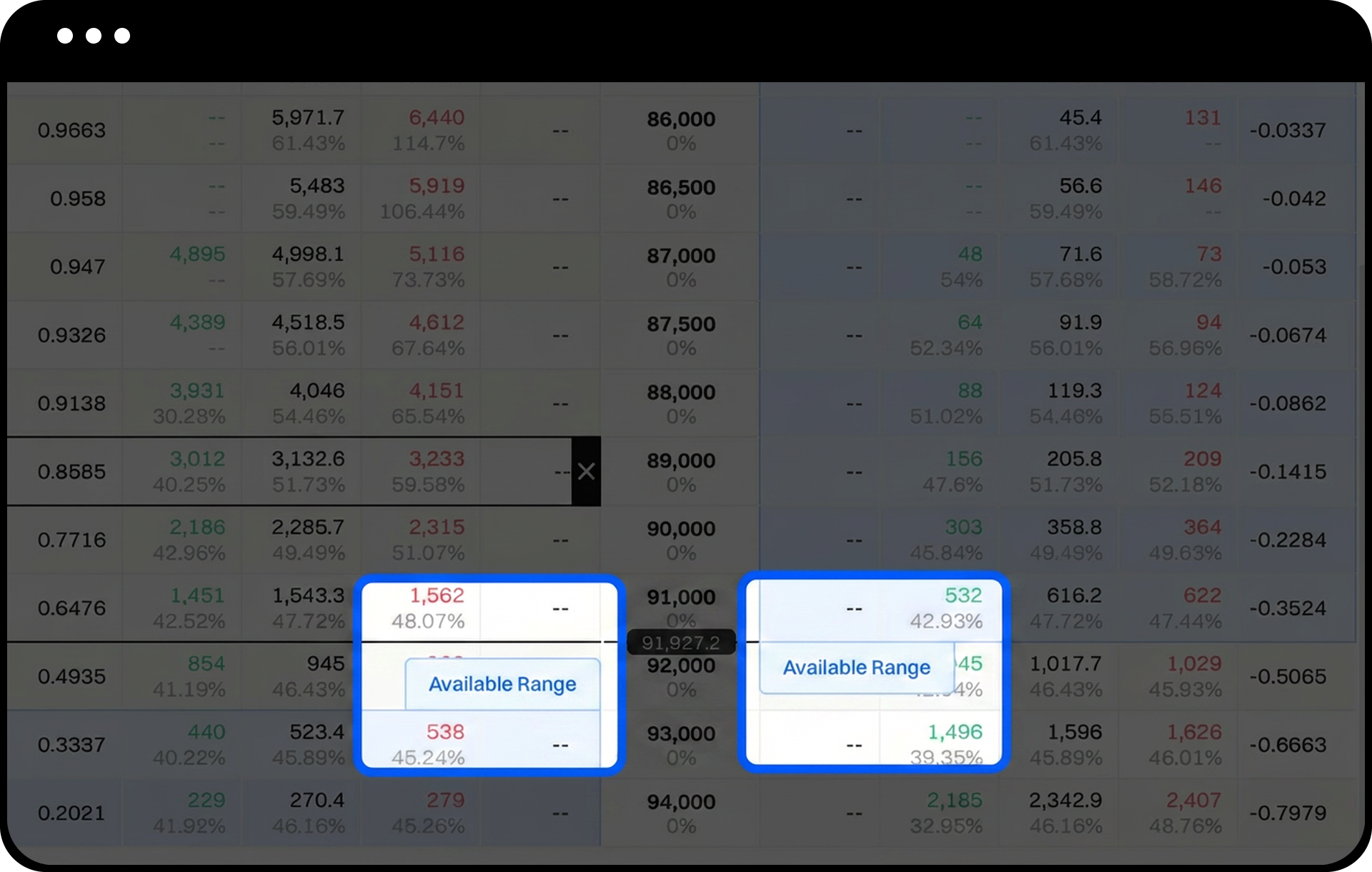
Click any contract within the hot zone area in the options chain to automatically fill in the Delta value or ATM distance level.
Step 6: Set Contract Quantity
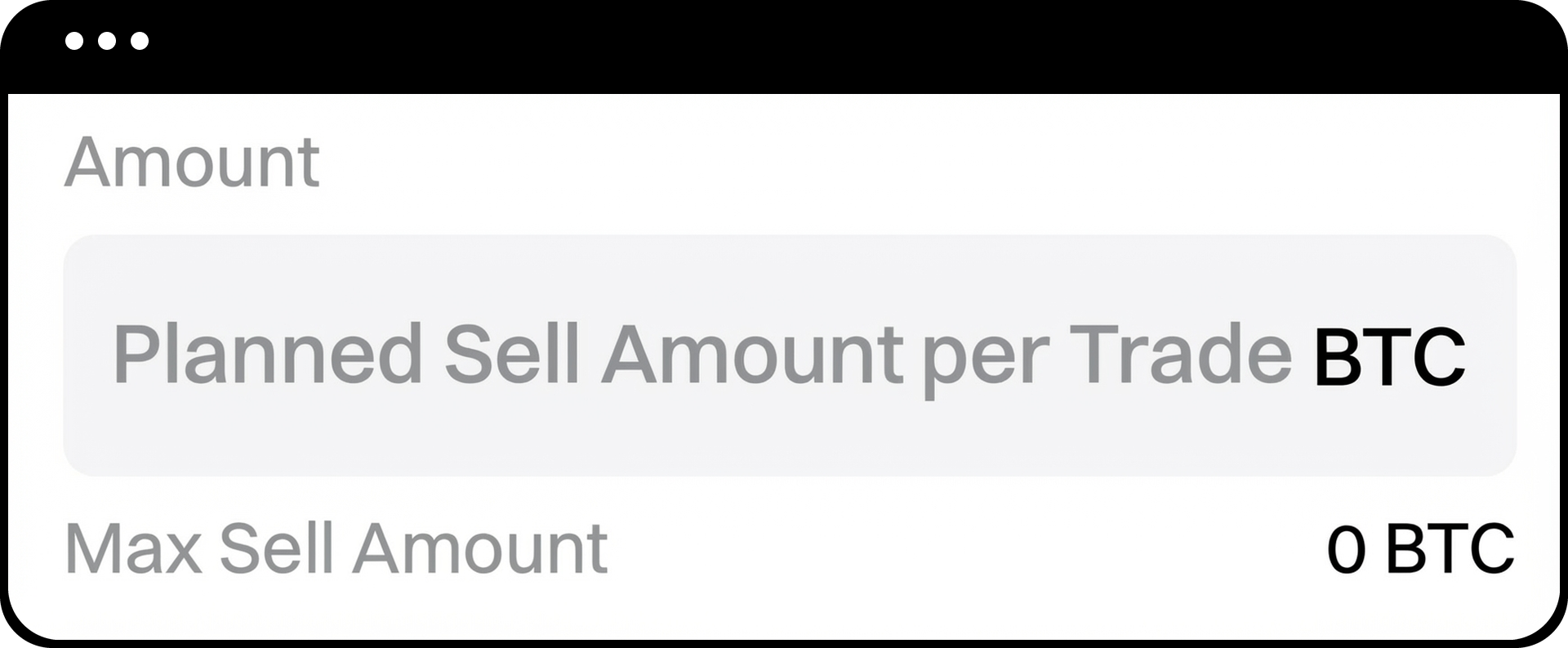
- Enter the number of option contracts to sell in each cycle.
- The system displays units in the underlying asset (e.g., BTC or ETH).
- Review the automatically calculated margin requirement and your available balance.
Step 7: Choose Sell Price Method
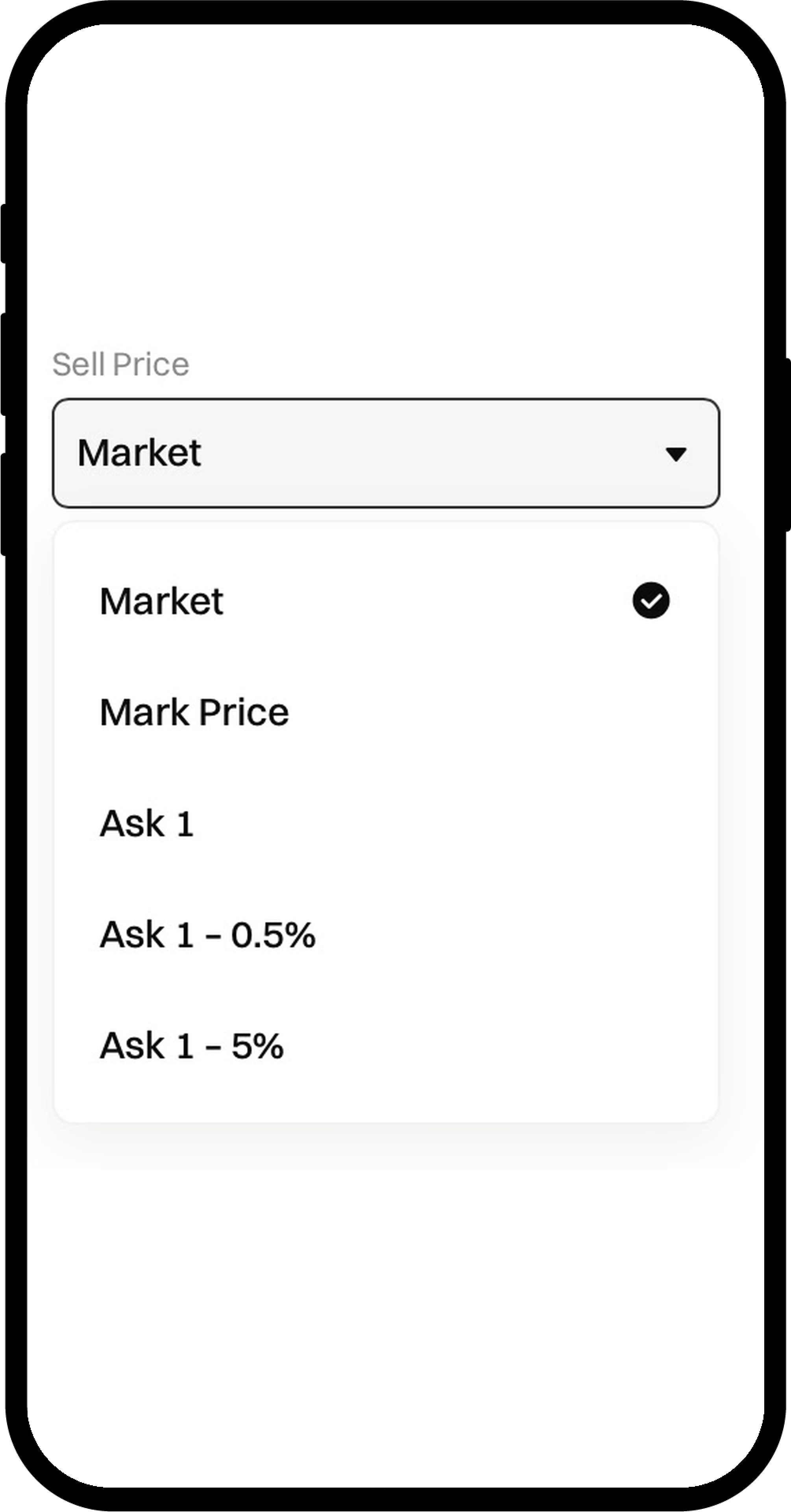
Select the pricing method for selling options:
- Market: Execute immediately at market price
- Mark Price: Use the option's theoretical reference price
- Ask0: Use the current best ask price
- Ask0–0.5%: Price 0.5% lower than best ask
- Ask0–5%: Price 5% lower than best ask
The system continuously monitors order book data to place orders at the corresponding price level.
Step 8: Review Margin Requirements
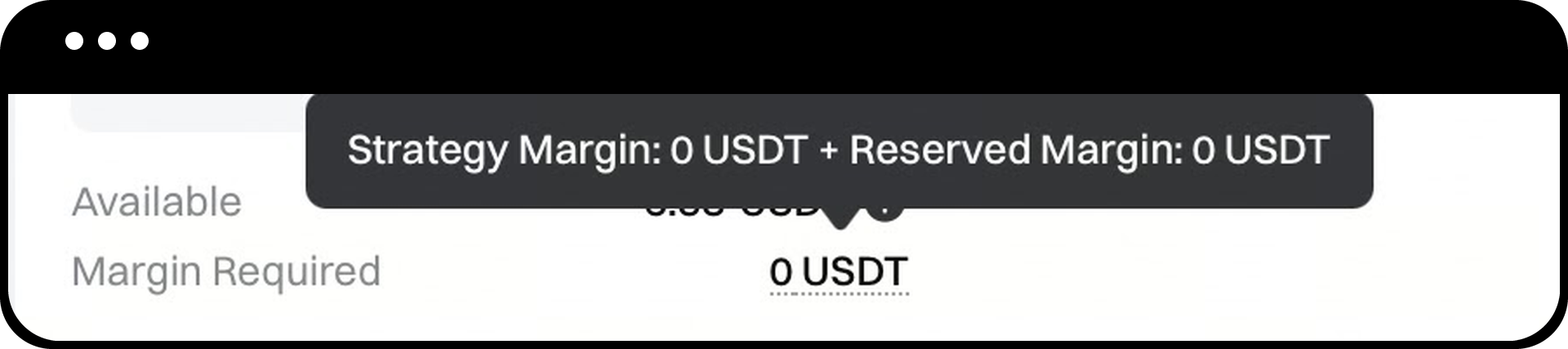
The system displays the estimated margin required, consisting of:
- Initial Margin: Basic margin for selling the option
- Reserved Margin: Additional 30% buffer for market volatility
Formula: Strategy Margin Requirement = Initial Margin + (Initial Margin × 30%)
Step 9: Set Take-Profit and Stop-Loss (Optional)
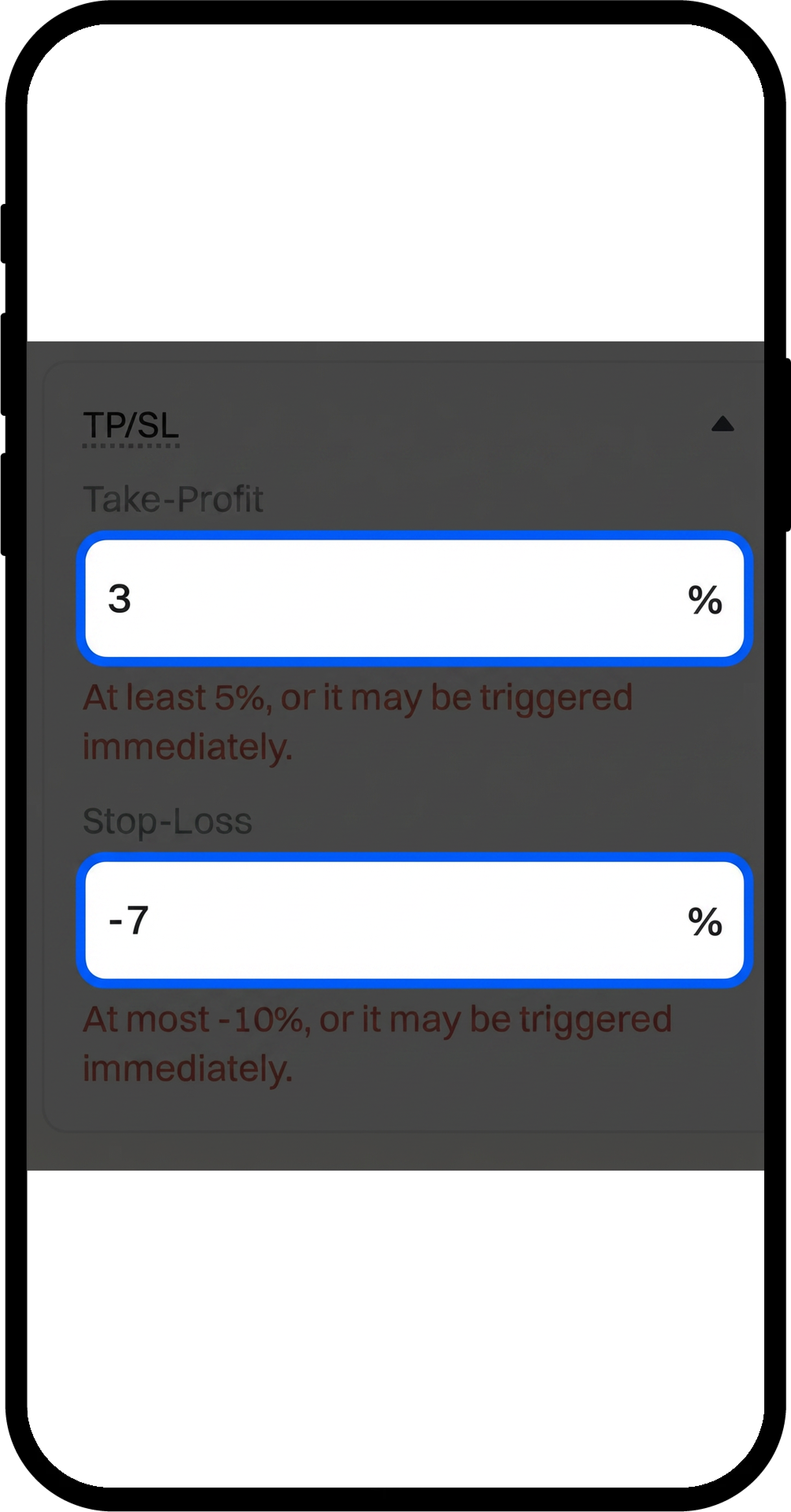
Configure TP/SL parameters if desired:
- Minimum take-profit: +5%
- Maximum stop-loss: –10%
When triggered, the system will close positions using market orders. If liquidity is insufficient, remaining orders will be placed at Mark Price.
Step 10: Review Risk Indicators and Start Strategy
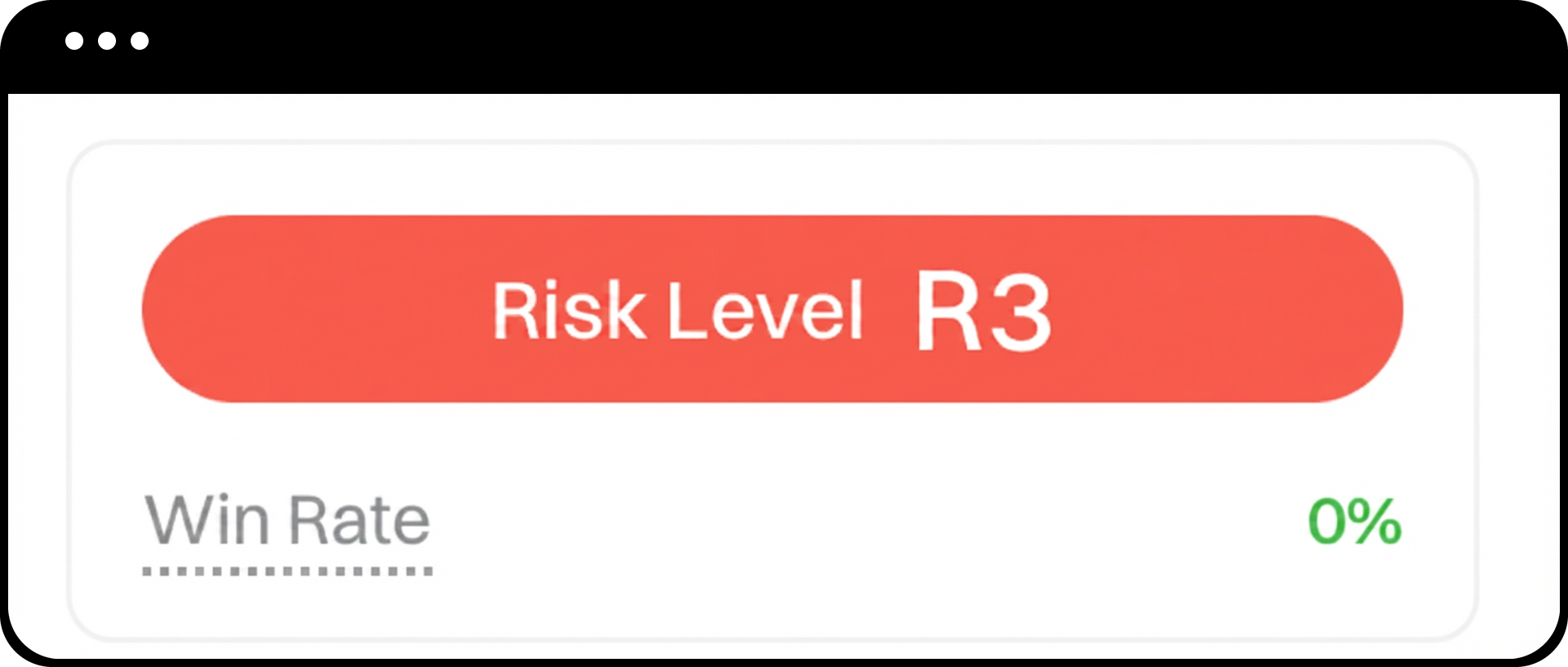
- Review the risk indicators:
- Risk Level: R1, R2, or R3 (higher number = higher risk)
- Win Rate: Based on historical performance (reference only)
- Review the estimated trading schedule showing upcoming contract sales
- Click "Start Strategy" to activate
The system will execute the first sale at the next 09:00 UTC:
- If started between 06:00–08:59 UTC: First sale occurs on the same day at 09:00 UTC
- If started after 09:00 UTC: First sale occurs at the next 09:00 UTC
Notes
- The available balance shown is your transferable USDT balance, not your non-withdrawable margin balance.
- The maximum notional amount for creating a strategy is capped at 5,000 USDT.
- Take-profit/stop-loss mechanisms carry potential slippage and loss risks due to possible liquidity instability.
- After the first contract is sold, the system will hold the position until expiration at 08:00 UTC with automatic cash settlement.
- The strategy will automatically roll to new positions based on your selected expiration type until the running period ends.
- You may manually close positions with limit orders during the holding phase, which will temporarily suspend TP/SL logic.
- Once the total strategy duration is reached, the system will automatically stop after final settlement and will not open new positions.
FAQ
Q1: Can I modify strategy parameters after the strategy starts?
A: No, once the strategy is running, parameters such as option direction, expiration type, and contract anchor cannot be changed. You must stop the current strategy and create a new one to use different parameters.
Q2: What happens if my account balance becomes insufficient during the strategy cycle?
A: The system will not open new positions if your available balance is insufficient to meet margin requirements. Existing positions will continue to be held until expiration or manual closure.
Q3: How does the rolling process work for different expiration types?
A: The expiration type determines cycle duration:
- T+1: Expires next day after selling; rolls daily
- T+2: Expires second day after selling; rolls every 2 days
- T+3: Expires third day after selling; rolls every 3 days
After each contract settles at 08:00 UTC, the system automatically sells the next-term contract at 09:00 UTC on the same day.
Q4: What happens if the order cannot be filled at my selected price?
A: If the order book lacks sufficient liquidity at your selected price level (such as Ask0–0.5%), the system will not place the order. You may need to adjust your pricing method or wait for better market conditions.
Disclaimer
The content provided herein is for reference and educational purposes only and does not constitute any financial, investment, trading, or legal advice, nor does it constitute an offer or solicitation to buy or sell any digital assets. Gate makes no express or implied representations or warranties regarding the accuracy, completeness, or timeliness of the information contained herein. Product features, interfaces, rules, and fee structures may be updated or adjusted at any time. Please refer to the latest announcements and the actual information displayed on the Gate platform for the most accurate details.
Digital asset investments involve significant risk, and prices may fluctuate substantially. You may lose the entire amount of your investment. Please make decisions cautiously based on your own financial situation and risk tolerance after fully understanding the associated risks. If necessary, you are advised to consult an independent professional financial or legal advisor.
For more information about potential risks, please refer to Gate's Risk Disclosure and User Agreement.
