


Kripto Kredisi, bir kripto varlığını teminat olarak kullanarak başka bir kripto varlık ödünç almaktır.
Kripto Kredisi Kullanıcı Kılavuzu (Web sürümü)
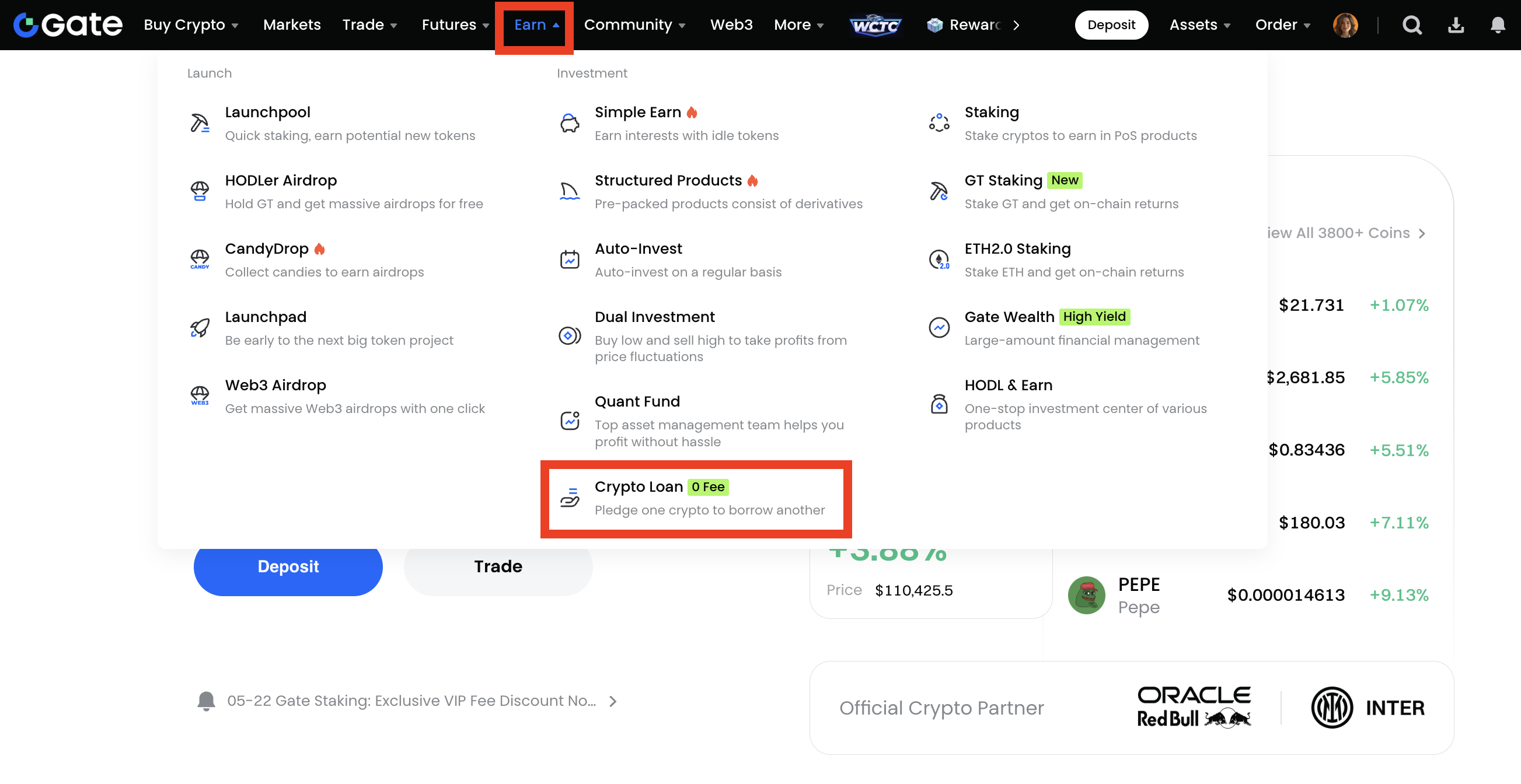
1. Gate hesabınıza giriş yapın ve "Kazan" - "Kripto Kredisi" üzerine tıklayın.
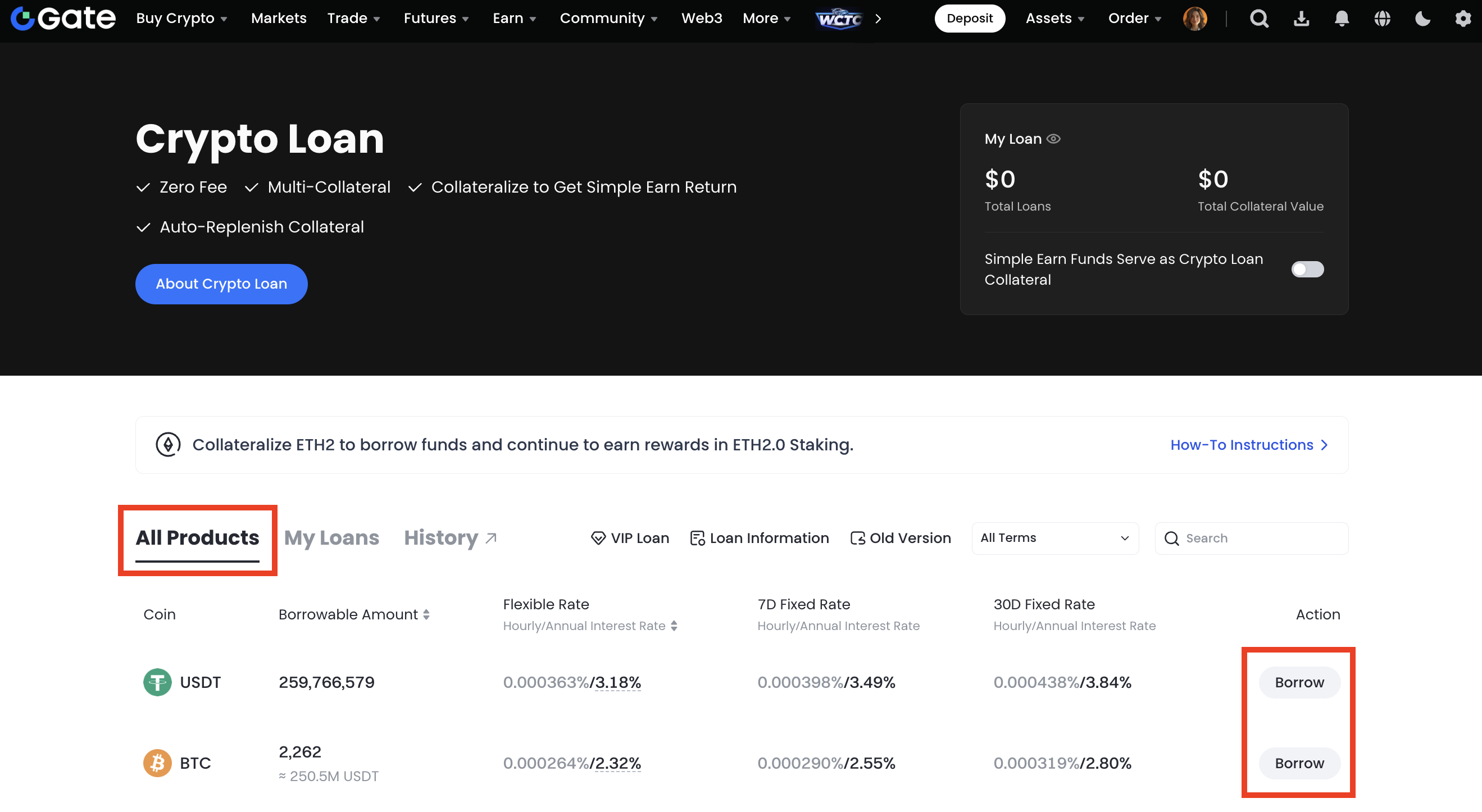
2. Kripto Kredisi sayfasındaki pazardan ihtiyacınız olan coini seçin ve ardından "Ödünç Al" düğmesine tıklayın.
3. Bir açılır pencere olacak. Borç alma emir parametrelerini girin ve 'Onayla'ya tıklayın.
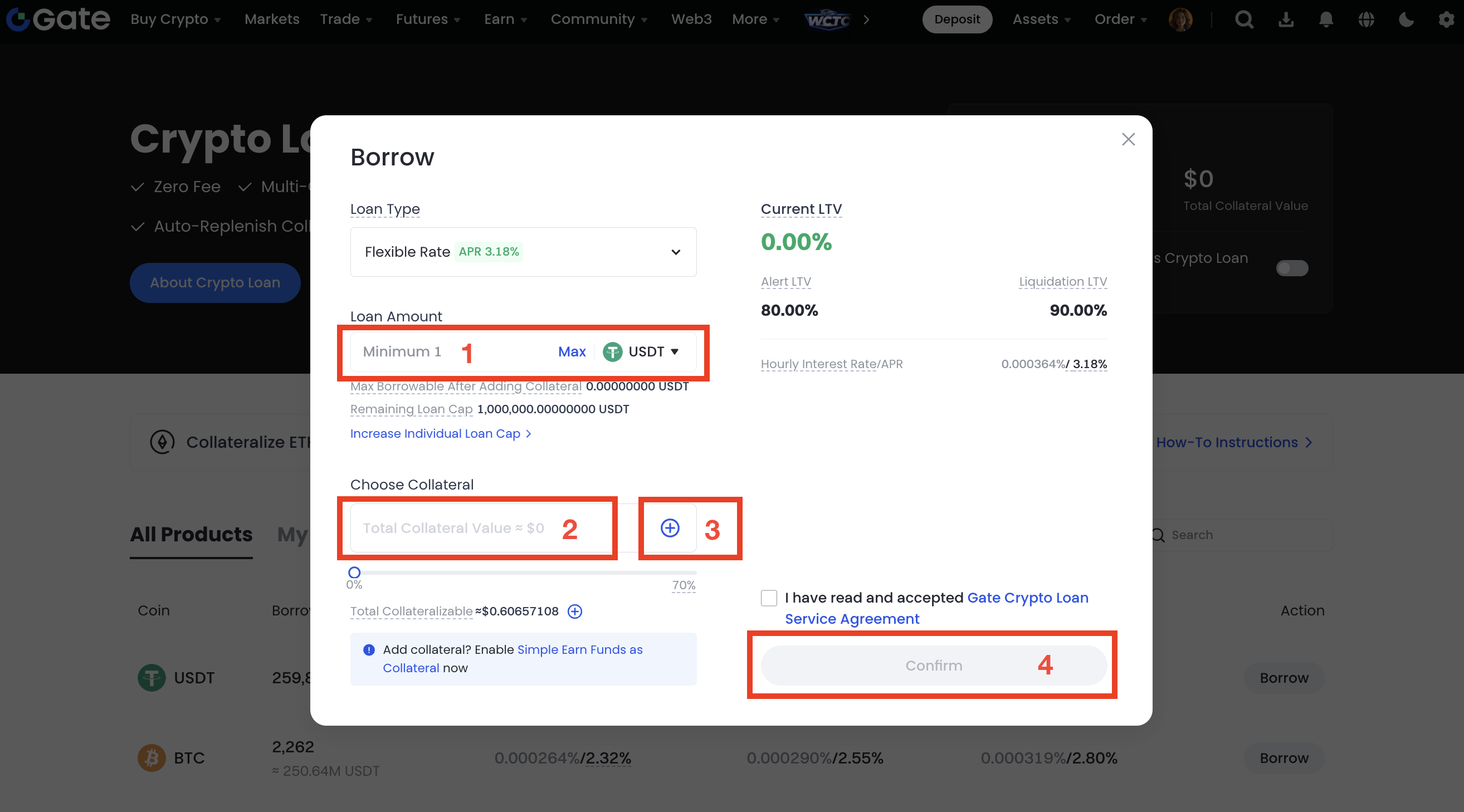
① Borç miktarını girin.
② Teminat coinini seçin.
③ Teminat miktarını girin.
④ Bilgilerin doğru olduğunu onayladıktan sonra "Onayla" düğmesine tıklayın.
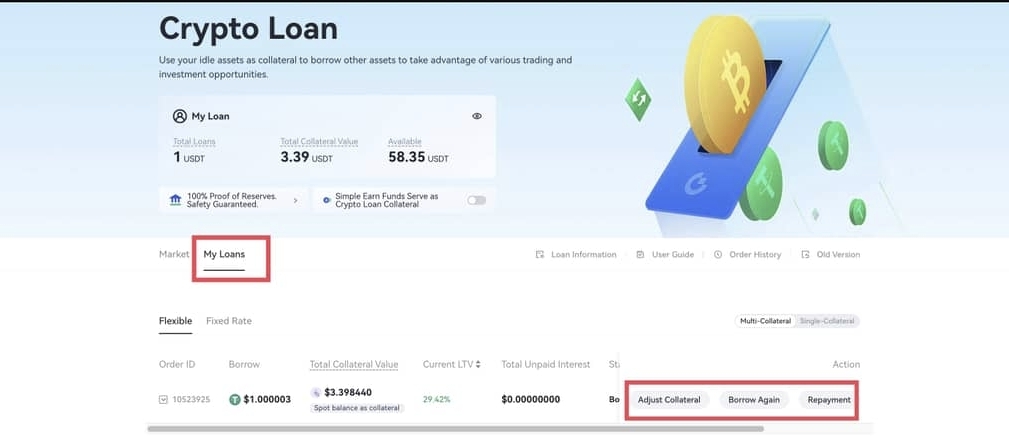
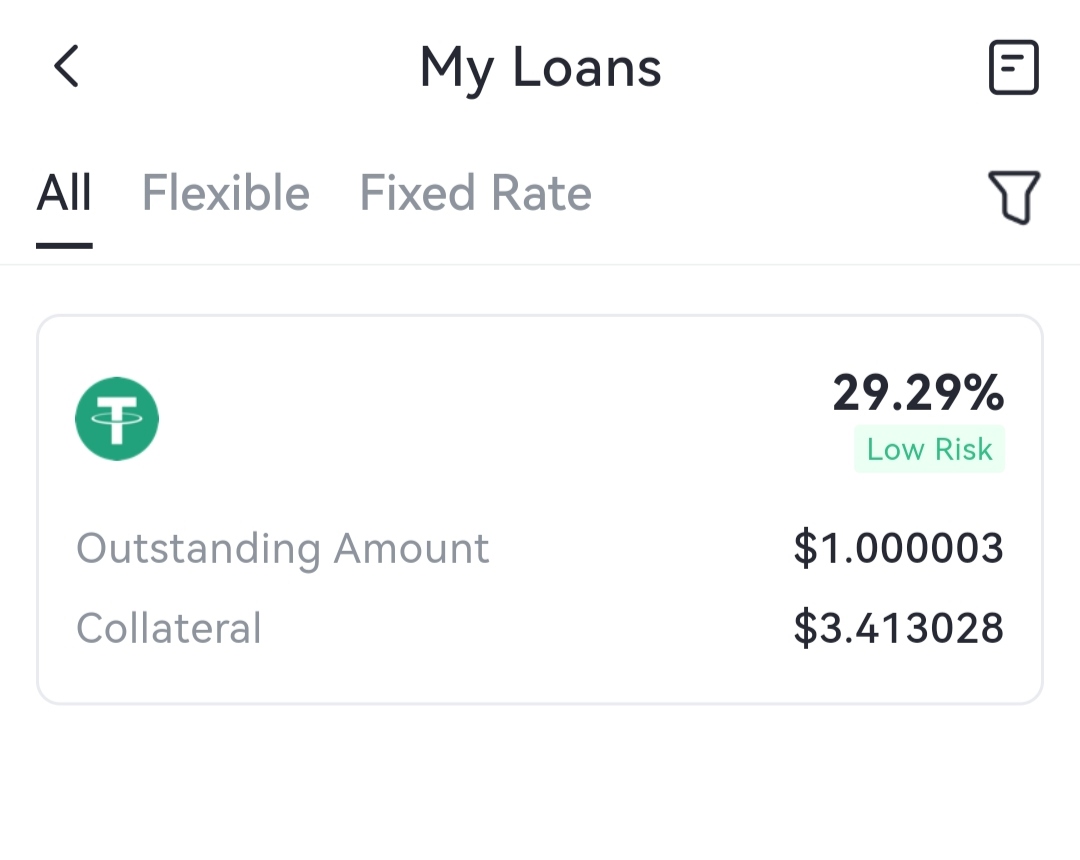
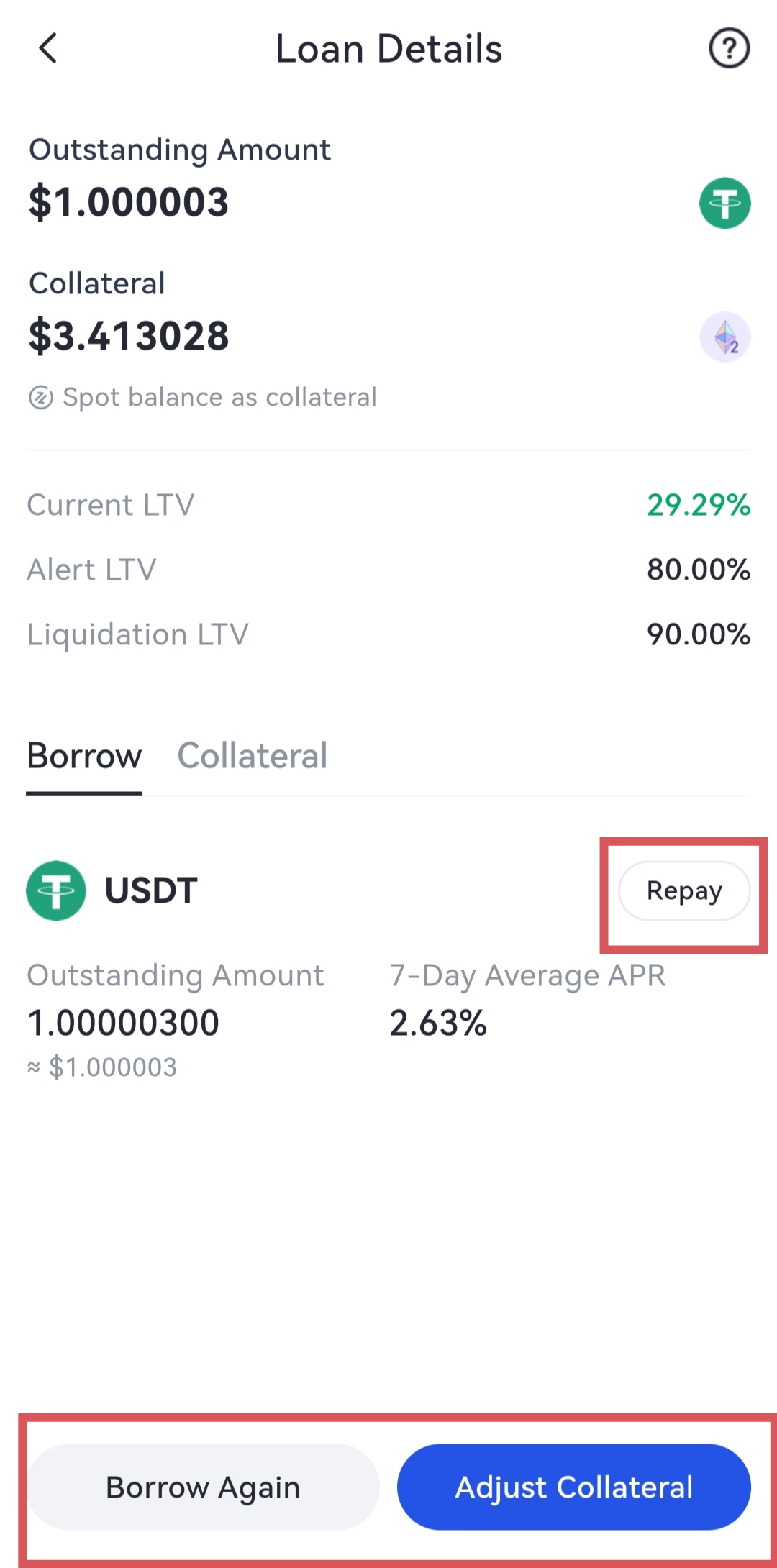
4. Borçlanmanızın detaylarını Kripto Kredisi sayfasındaki "Kredilerim" bölümünden kontrol edebilirsiniz. Ayrıca burada teminatı geri ödeyebilir veya ayarlayabilirsiniz.
Kripto Kredisi Kullanıcı Kılavuzu (Uygulama sürümü)
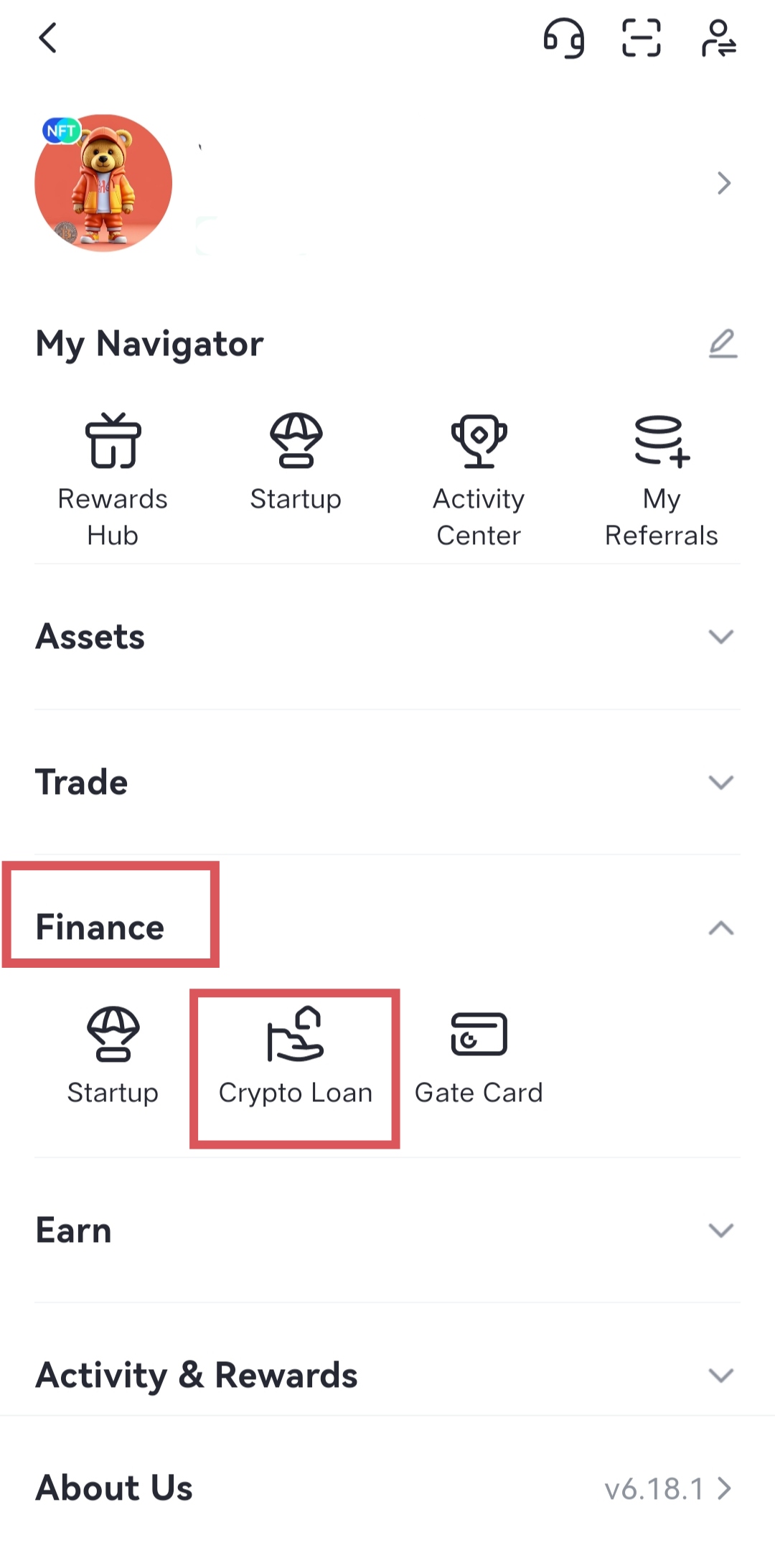
1. Gate uygulamasını açın ve hesabınıza giriş yapın. 'Finans' - 'Kripto Kredisi'ne dokunun ve sayfaya girin.
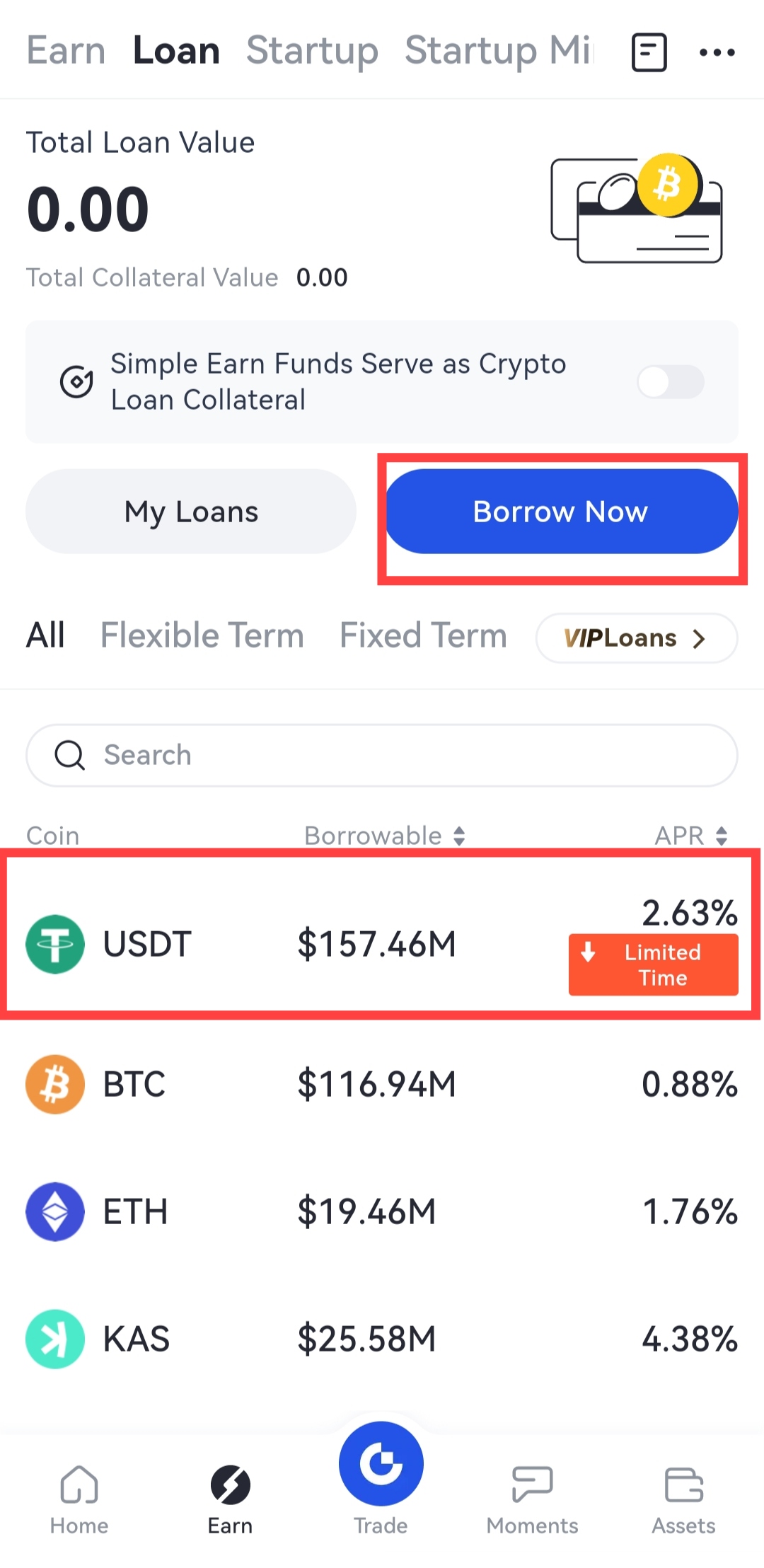
2. Piyasa bölümünde kendi ihtiyaçlarınıza göre coin ve borç alma teklifini seçin. 'Hemen Borç Al'ı seçin.
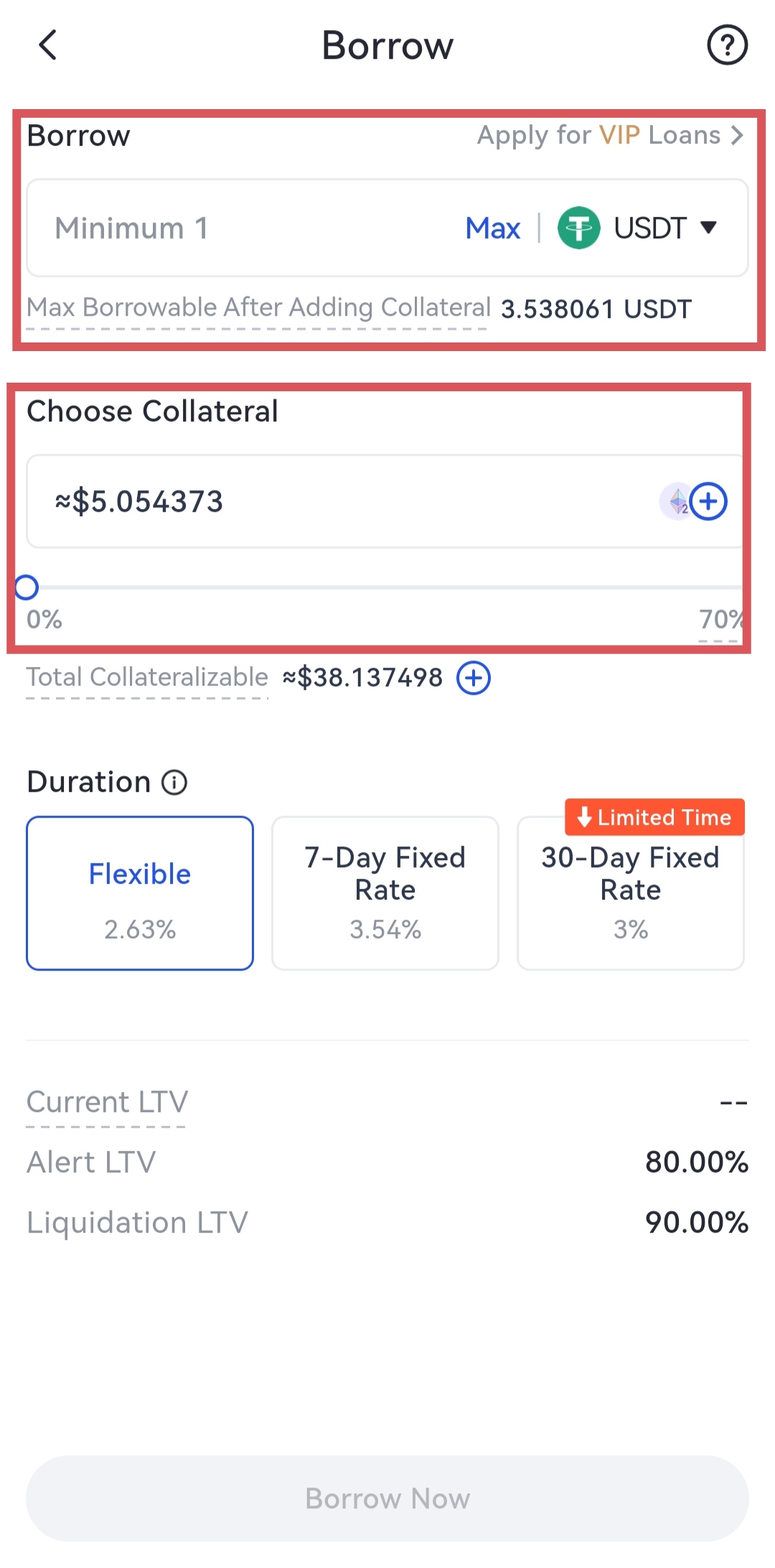
3. Borç alma sayfasında, borç alma detaylarını kontrol edin. 'Borç Alma Miktarı' ve 'Teminat Miktarı'nı girin ve 'Onayla' düğmesine dokunun. (Not: Herhangi bir potansiyel risk olup olmadığını görmek için LTV'lere dikkat etmeniz önerilir.)
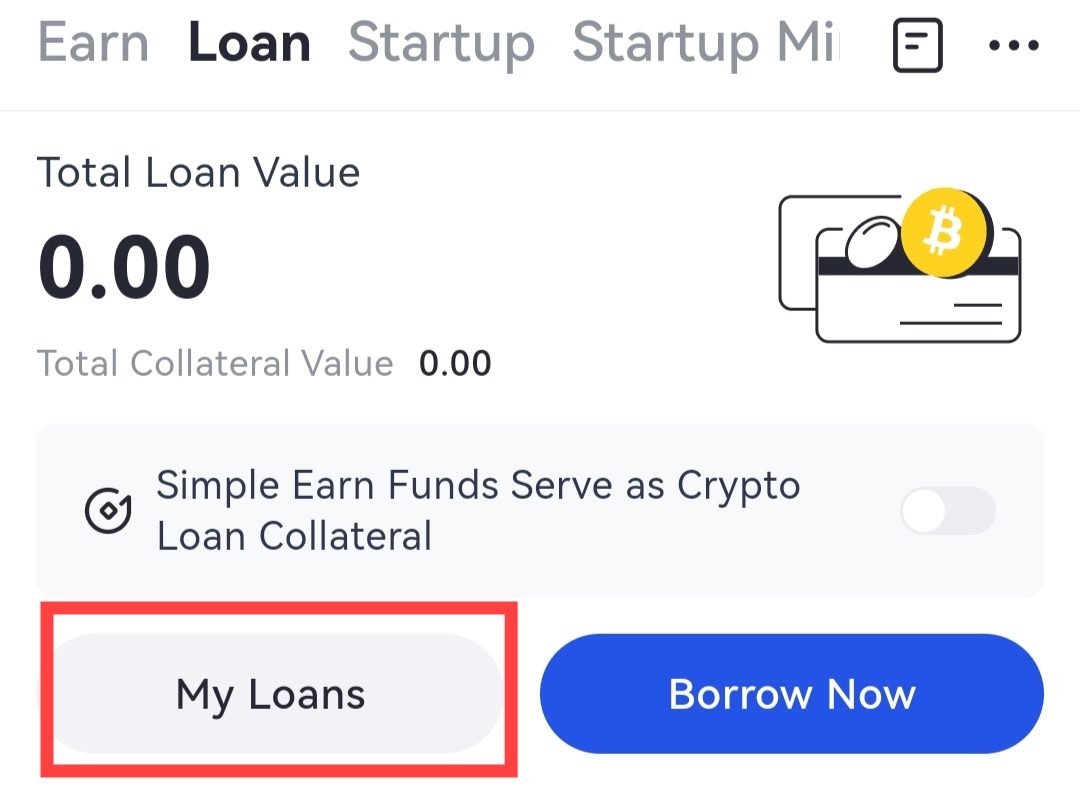
4. "Kredilerim" altında kredi detaylarını kontrol edin. Ayrıca burada "Ödeme Yap" veya "Teminatı Ayarla" da yapabilirsiniz.
Not:
①Şu anda Esnek Kripto Kredisi'nin yalnızca Android sürümü mevcuttur. iOS kullanıcıları için, deneyimlemek için Web'e gidebilirsiniz.
②Esnek Kripto Kredisi'nin borç alma emirlerini kontrol etmek için Gate-Finance-Kripto Kredisi-Emir Geçmişi'ne gidin veya Android sürümünde kontrol edebilirsiniz.
③Sabit Kripto Kredisi'nin borç alma emirlerini kontrol etmek için Gate-Finance-Kripto Kredisi-Eski Sürüm'e gidin veya Android sürümünde kontrol edebilirsiniz.
Gate ürünü yorumlama konusunda son kararı saklı tutar.
