Gate officially launches its AI market assistant, GateAI!
How can you quickly find GateAI to help you track and analyze the market?
🤩How to Use Gate AI:
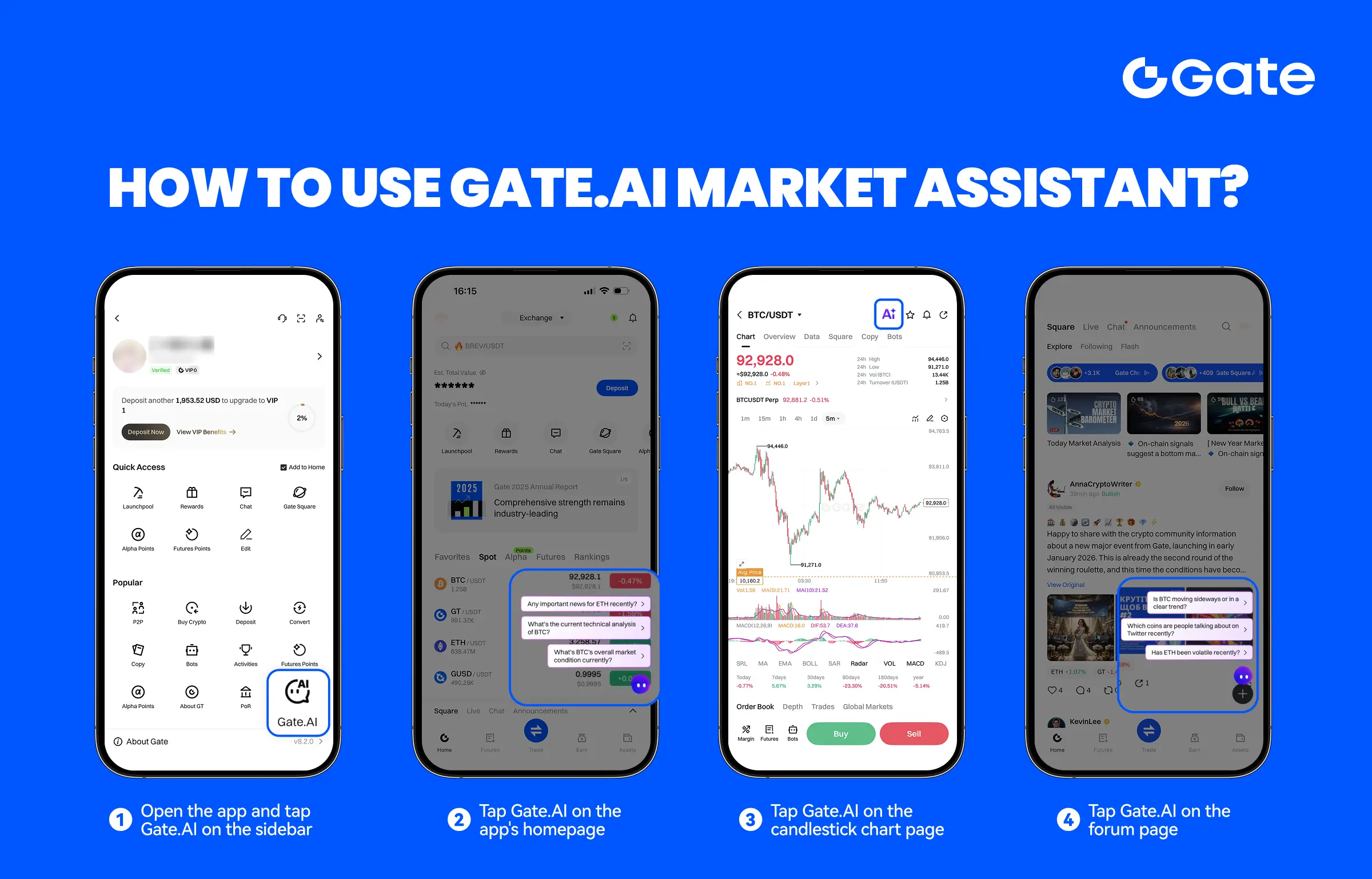
1️⃣ Open the app sidebar and tap GateAI
2️⃣ Tap GateAI on the app home page
3️⃣ On the K-line (chart) page, tap GateAI
4️⃣ On the Square page, tap GateAI
Beginner-friendly and easy to use — just find GateAI, enter a command, and instantly generate market analysis!
Start using your AI investment assistant to understand the market more efficiently.
Come and try your AI investment assistant now!
👉 https://www.gate.com/announcements/article/49070
Note: Please make sure your app is updated to version v8.2.0 or above to access this feature.
How can you quickly find GateAI to help you track and analyze the market?
🤩How to Use Gate AI:
1️⃣ Open the app sidebar and tap GateAI
2️⃣ Tap GateAI on the app home page
3️⃣ On the K-line (chart) page, tap GateAI
4️⃣ On the Square page, tap GateAI
Beginner-friendly and easy to use — just find GateAI, enter a command, and instantly generate market analysis!
Start using your AI investment assistant to understand the market more efficiently.
Come and try your AI investment assistant now!
👉 https://www.gate.com/announcements/article/49070
Note: Please make sure your app is updated to version v8.2.0 or above to access this feature.